How To master DVD-Video title with ROM content
It is possible to master
DVD-Video titles and add ROM data to the disc using GEAR PRO
Mastering Edition. Adding extra content to supplement the
DVD-Video content in order to add bonus material or interactive
content to enhanced the DVD-Video experience is a common reason
to do this.
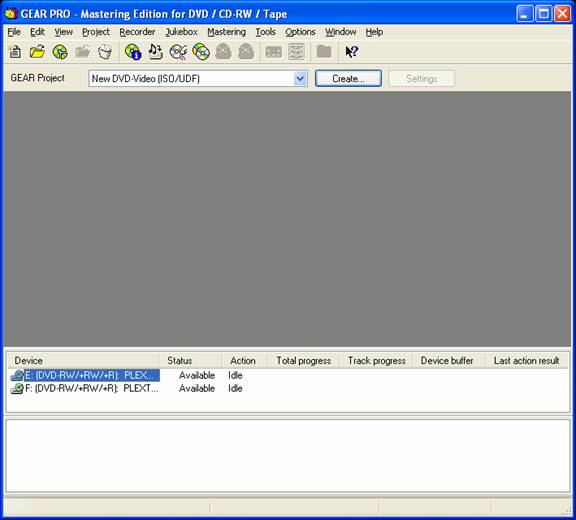
- 1. Start GEAR PRO Mastering Edition
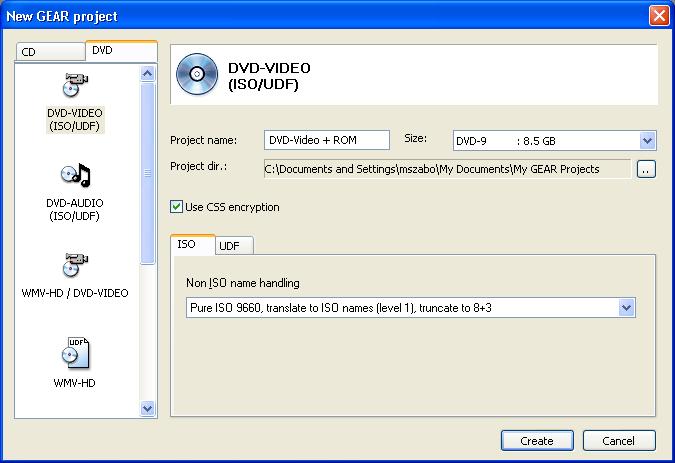
- 2. Select new DVD-Video project – optionally [√] Use CSS
encryption
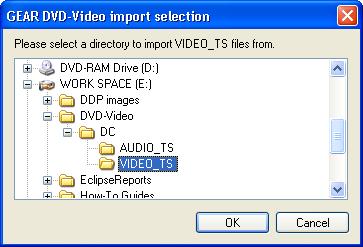
- 3. Import your VIDEO_TS when prompted
- 4. After the VIDEO_TS is imported into the project, drag-n-drop your ROM
content into the project.
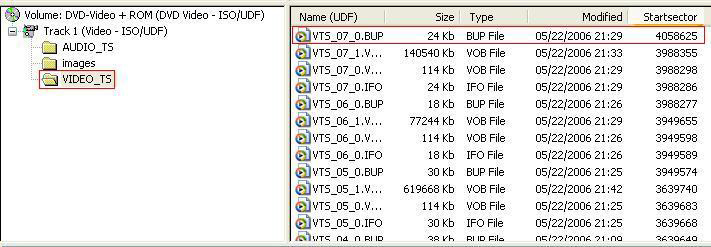
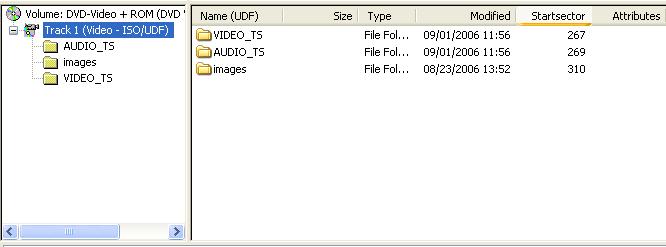
Re-sort the start sector
column to notice the images folder in this example starts
afterthe AUDIO_TS and VIDEO_TS folders. This is to ensure
the VIDEO_TS content is recordedon the disc in the location
required for the disc to be compliant.
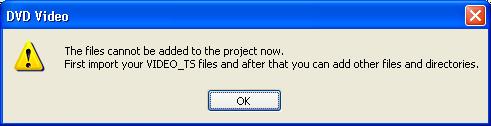
If
you do not import the VIDEO_TS when prompted, and attempt to add
ROM data to the project prior to importing the VIDEO_TS
content, you will be presented with this message:
This 'check' is done to prevent the creation of an 'out-of-spec'
disc.
- 5. Re-sort
the start sector column (descending) for the VIDEO_TS folder and
take notice of the start sector for the last file in the
folder – (4,058,625) and the size of the file – 24KB
(24,576 bytes)
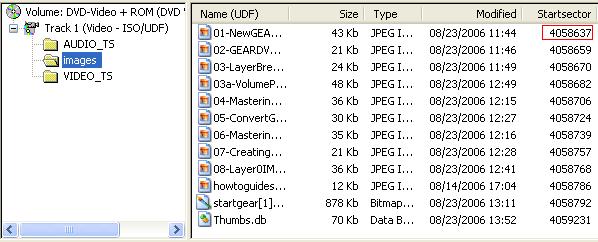
- 6. Re-sort the start
sector column (ascending) for the 'images' folder and take
notice of the start sector for the first file in the folder –
(4,058,637)
VTS_07_0.BUP starts at 4,058,625 – and is
24Kb (24,576 bytes) – 24,576 ÷ 2,048 = 12
sectors
01-NewGEA starts at 4,058,637 – and
which is 12 sectors after the start of VTS_07_0.BUP
- 7. When you are finished adding content to the project, record your project to DVD±R media,
or create DDP images or write the project to tape.
Note: Recording to DVD±R media will not add CSS encryption to the recorded disc.
(Applies to pending GEAR PRO Mastering Edition 7.03 rc14 and later releases only)
|